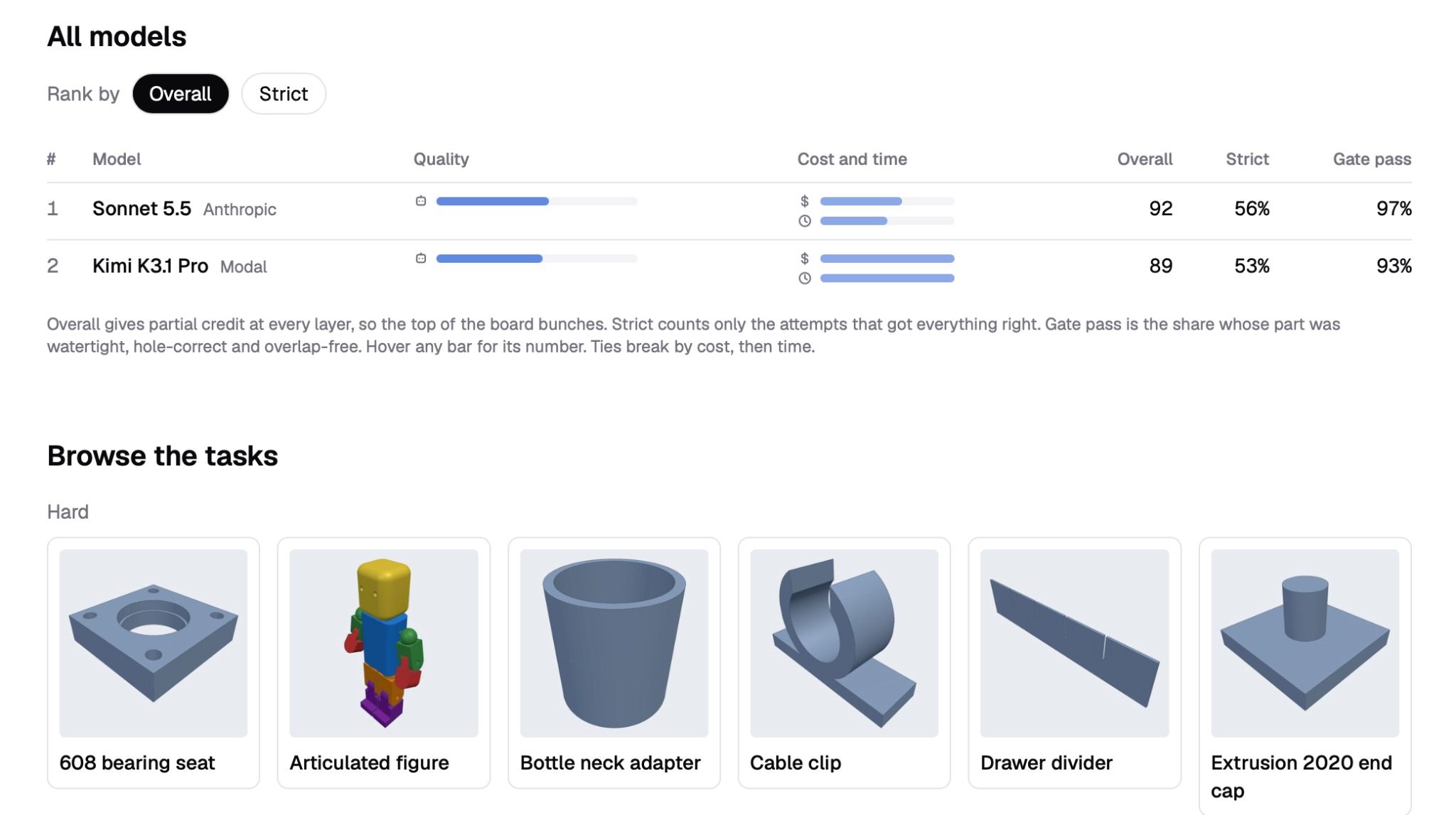
Moonshot released Kimi K3.1 Pro last month, and a line in the announcement got our attention. It says the model "particularly excels at parametric modeling." That's pretty much our whole thing at PartForge so we decided to try it out.
They also launched Kimi 3D Make, a tool that builds 3D models from a prompt. That's close enough to PartForge that we got extra curious.
We ran tests of it against Claude Sonnet 5.5, which became our default last month, mostly because it's so fast. In that same run the older Kimi K3 models struggled with edits and didn't finish enough tasks to rank.
The short version: K3.1 Pro is a big step up and really close on quality. Sonnet 5.5 is still about twice as fast and quite a bit cheaper, so it stays our default. But you can now pick Kimi 3.1 yourself if you want to use it in our CAD harness.
What we tested
Both models ran all 29 of our hard tasks, three tries each. Some are plain practical parts, like a bearing seat, a drawer divider or a tray for a Raspberry Pi. Some start from a photo. Some rebuild an existing 3D scan with working controls, and some go back and change a part after it's built.
| Sonnet 5.5 | Kimi K3.1 Pro | |
|---|---|---|
| Overall score | 92 | 89 |
| Attempts that passed our build checks | 84 of 87 | 81 of 87 |
| Typical time per task | 52 s | 115 s |
| Cost per task | $0.22 | $0.37 |
Three points isn't much, and most tasks came out within a couple of points of each other. Kimi even won a few of the hardest ones, like building a motor's spoke pattern from a photo that only shows part of it, 87 to 64.
Most of the gap comes from one task, and part of that is on us. Two of Kimi's three tries at an articulated figure hit a limit we'd set on how long one response could be, and they built nothing. So we raised the limit and ran that task six more times. All six built, and its score went from 29 to 89 (Sonnet got 92). They also took almost 13 minutes each and cost $1.30.
Using that score would make it about 91.6 to 92.4, which is basically a tie. You can see every attempt and every render here.
So the claim mostly holds up. Kimi K3.1 Pro is good at this.
Kimi 3D Make and PartForge
These tests measure the model, not Kimi's app, and we haven't run 3D Make through them. From Kimi's guide, it turns a description, sketch or image into a 3D model that you refine by chatting. It exports STL, 3MF and STEP for printing and CAD. All of that sounds familiar!
It also goes places we don't. You can make interactive 3D web pages and little games, export videos and Live Photos, and remix a gallery of templates.
PartForge is narrower on purpose. We're for parts that have specific dimensions and print or manufacture properly. Every forge is a small program you can take with you, and it can give you controls for things like wall thickness.
If you want a 3D scene, a game or a fun video of your model, 3D Make looks like a good one to try. If you want a bracket that fits, we think you'll like PartForge.
Why we're sticking with Sonnet 5.5
Sonnet wins on speed. It's the same reason we switched last month. When each step comes back in under a minute, you stay with it and catch mistakes early. Kimi took about twice as long. When users are using AI as a collaborator and not expecting a single prompt to do the job the turn time really matters.
Cost helps too. Counting only tasks that came out fully right, Sonnet was $0.39 each and Kimi was $0.69. If you're making fifteen small changes to a part, that adds up fast.
Kimi is close enough on quality that this could change with the next release. We'll keep testing.
Try them yourself
This doesn't have to be our call! Kimi K3.1 Pro is in PartForge now, along with models from Anthropic, OpenAI and Google. Turn on Advanced Model Management in Settings, then open the model picker next to the chat box and pick one you want to try. Kimi is under More models.
You can also connect your own Anthropic, OpenAI or OpenRouter account. Those runs go on your own bill and we don't meter them.
If you try them out tell us which one you end up liking and why.